Understanding Instagram Search API Scope and Reality
A typical REST search API accepts a query and searches a broad index. Instagram's official interfaces work differently. Meta exposes specific edges for approved use cases, usually in the context of an authorized Business or Creator account, rather than an unrestricted index of public Instagram objects. The Instagram Graph API IG User reference documents access to hashtags an Instagram user searched for within the last 7 days, while the hashtag workflow resolves a hashtag and then retrieves media associated with it.
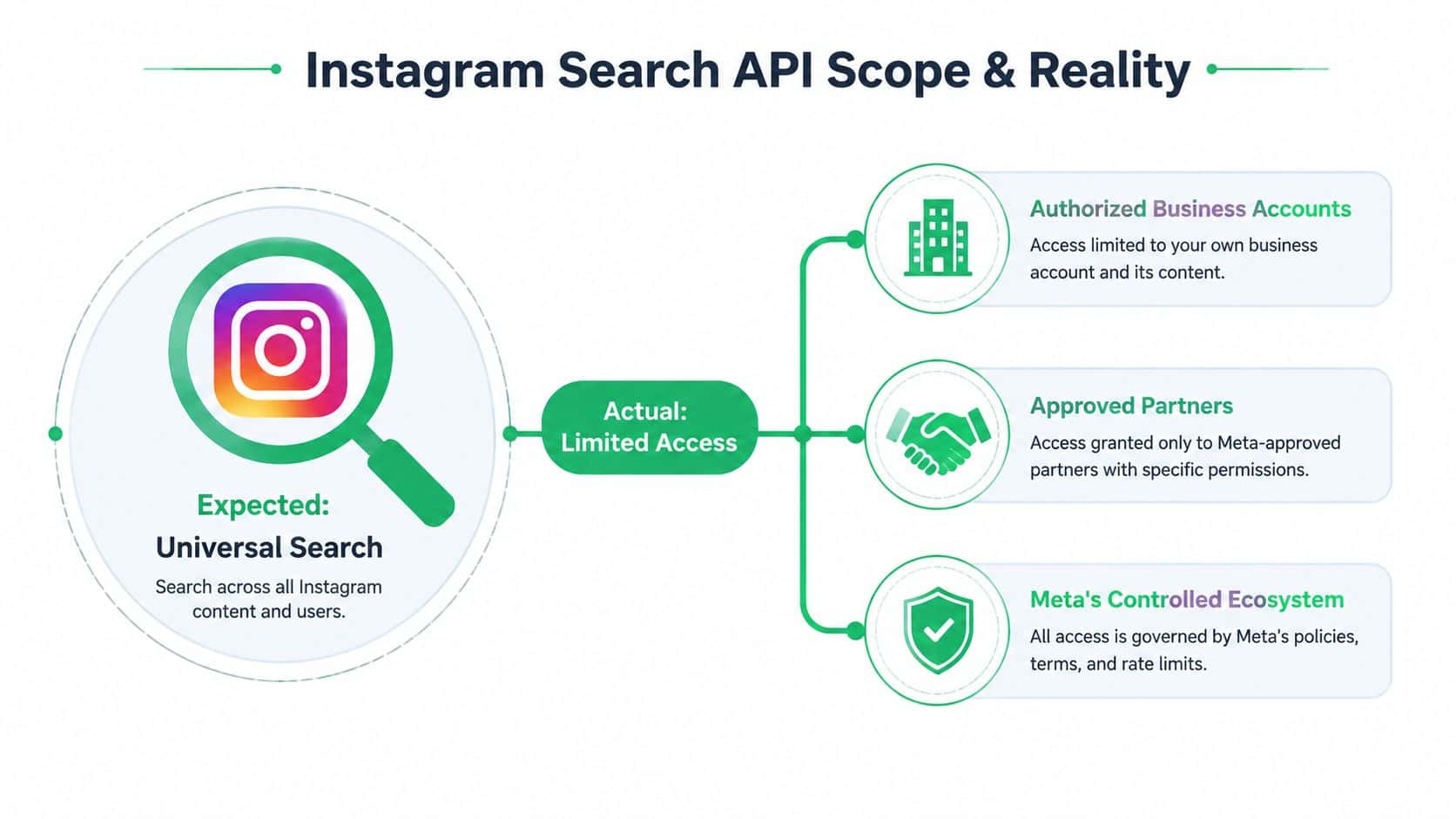
That means arbitrary public user search and general keyword search across all public content aren't available through the official surface described in Meta's current guidance. The API is edge-based, meaning each supported relationship has its own endpoint, permissions, and response model. It's also account-scoped, so the authenticated account's role and connected Instagram identity affect what the application can request.
The boundary that shapes product design
Start by writing a capability matrix before building a search screen:
Hashtag discovery: Resolve a hashtag ID, then request top or recent media for that hashtag.
Account search history: Read unique hashtags searched by the authorized Business or Creator account through the documented user edge.
Universal keyword search: Not an official general-purpose capability.
Arbitrary public user discovery: Not an official open-ended search surface.
This boundary matters more than a rate-limit workaround. If a requirement depends on finding every creator matching a phrase, the team must change the requirement, combine permitted sources, or avoid promising that feature. Scraping private or undocumented surfaces isn't a stable substitute for an approved integration, and it introduces compliance and maintenance risks.
The privacy guidance for Bulkit is also relevant whenever an application stores connected-account data, search history, media metadata, or derived analytics. Define retention, deletion, and account-disconnection behavior before the first production connection, not after a compliance review.
Practical rule: Treat Instagram search as a collection of narrowly defined objects and edges, not as a hidden universal index.
Executing Hashtag Searches Through the Graph API
The supported hashtag workflow has a deliberate two-step shape. You don't send a hashtag string directly to a media endpoint and expect Instagram to interpret it. First, your application resolves the hashtag into an Instagram hashtag ID. Then it uses that ID to retrieve media.
Step one, resolve the hashtag
Call GET /ig_hashtag_search in the context of an authorized Instagram Business or Creator account. The request needs the appropriate access token, account context, and the hashtag text you want to resolve. The official hashtag-search documentation describes this ID-resolution step and the account requirements around it.
A conceptual request flow looks like this:
Send the hashtag text to GET /ig_hashtag_search.
Store the returned hashtag ID with the normalized hashtag text.
Associate the ID with the connected account and the time it was resolved.
Use the ID for media retrieval rather than repeatedly resolving the same term.
The response should be treated as a lookup result, not as the search results themselves. Store the returned identifier and the request metadata you need for auditing. If the API rejects the request, inspect the connected account type, permissions, token status, API version, and quota state before changing application logic.
Once the ID exists, request either /{ig-hashtag-id}/top_media or /{ig-hashtag-id}/recent_media. Choose the edge according to the product's purpose. Top media supports a relevance-oriented view, while recent media supports time-sensitive collection, but neither should be presented as a complete global archive.
Build pagination into the client from the beginning. Preserve the cursor, request timestamp, hashtag ID, and response status for every page. A user-facing search feature can load a bounded result set, while an analytics workflow should enqueue collection jobs and persist each page independently so a later failure doesn't erase an earlier successful response.
The account history edge, /{ig-user-id}/recently_searched_hashtags, is a separate capability. It returns unique hashtags searched by the authenticated professional account during the current week. It doesn't reveal another person's private search history, and it doesn't turn those terms into a general content index.
Comparing Account Types and Search Permissions
The most common integration mistake happens before the first API call. A product team designs around what a person can do in Instagram's consumer application, then assumes the same behavior exists for every authenticated API user. Meta's official access model doesn't make that assumption.
| Account context |
Practical API implication |
| Personal account |
Don't assume it can authorize the professional discovery edges described by the Graph API. |
| Business account |
The documented context for hashtag lookup, hashtag media retrieval, and account-level professional workflows. |
| Creator account |
Also supported for the documented hashtag and account-scoped discovery workflows. |
The important distinction isn't that Business and Creator accounts receive unlimited search access. They don't. They receive access to a limited, permissioned surface that still operates under quotas, time windows, endpoint rules, and versioned platform policies. A professional account can make a supported hashtag request, but it can't use that permission to search arbitrary public users or run unrestricted keyword queries.
Confirm the connection before building features
Your onboarding flow should make account eligibility explicit. Ask the customer to connect the Instagram identity that matches the feature requirements, validate the returned account context, and show a useful error when the connected account can't perform the requested operation.
Don't hide this behind a generic “search failed” message. Tell the user that the feature requires an eligible professional account, or that the requested search type isn't available through the official API. That explanation prevents support teams from chasing token refreshes when the actual problem is scope.
Meta's Basic Display API was deprecated on September 4, 2024, and requests began returning errors on December 4, 2024, as documented in the Basic Display API deprecation notice. New business-grade integrations should therefore be designed around the Instagram Graph API permission model rather than legacy read-only profile and photo access.
A clean permission model also improves security. Request only the access your feature needs, keep tokens server-side, and separate account connection from search execution. The narrower the requested capability, the easier it is to explain consent and diagnose authorization failures.
Navigating Rate Limits, Quotas, and Time Windows
A search integration can be logically correct and still fail operationally. Meta states that Graph API requests are subject to rate limits in its Graph API rate-limiting documentation. Instagram search workflows add their own practical boundaries, so a worker that loops through hashtags will eventually hit a platform constraint or miss data that has already aged out.
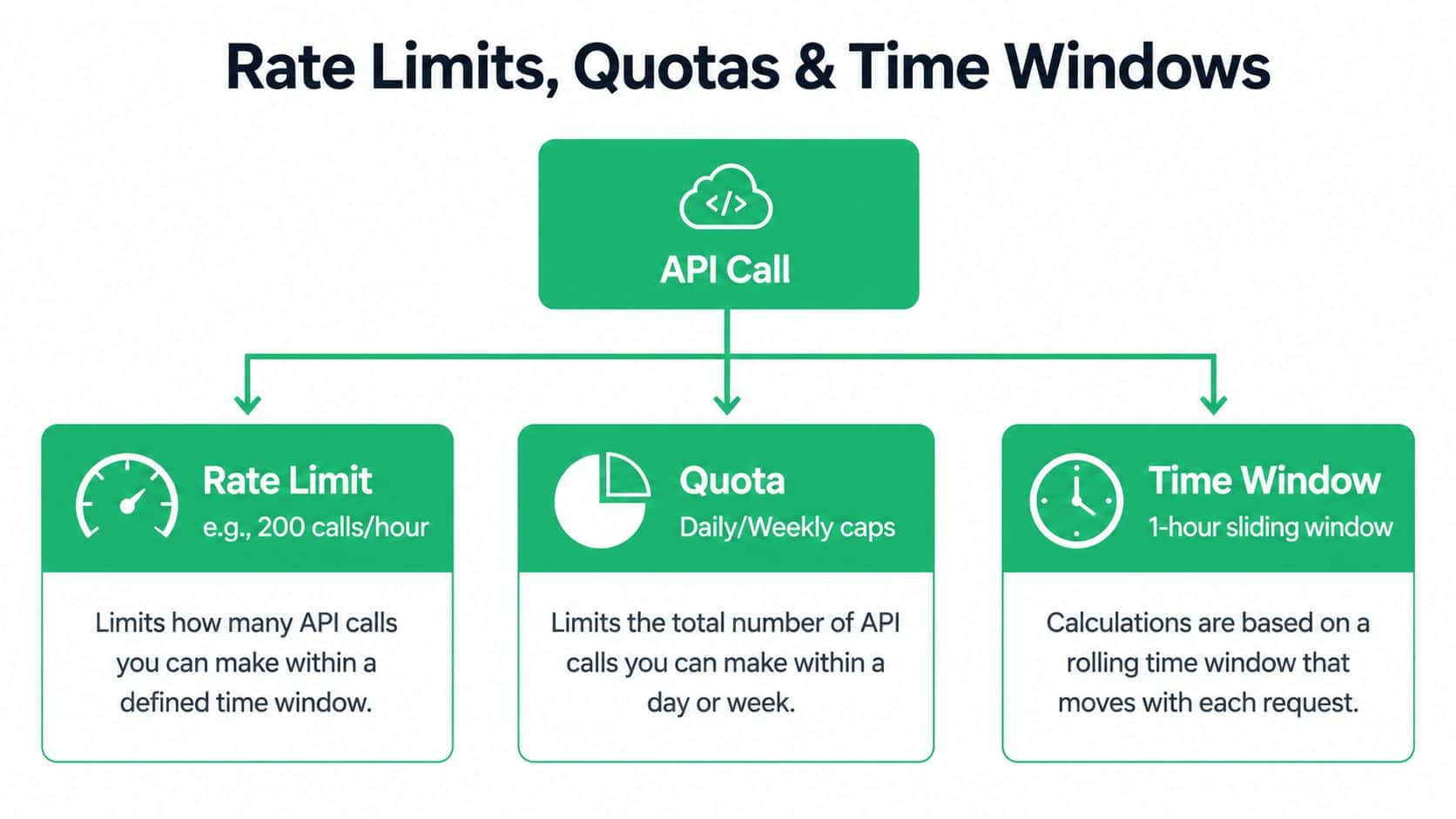
The documented hashtag-search workflow caps an Instagram Business or Creator Account at 30 unique hashtags per week, and the user object exposes searched hashtags within a 7-day lookback window. Those are different constraints. One controls how many unique hashtag explorations the account can make, while the other controls how far back the exposed search history reaches. Store both facts in your integration model instead of treating “weekly access” as a single generic limit.
Independent developer documentation citing Meta's rules describes a 1-hour window for Business Discovery and Hashtag Search, with a formula of 200 times the number of users. The same summaries distinguish that model from standard publishing and engagement APIs, which use a separate 24-hour business-use-case model tied to impressions. Don't apply one limit formula to every Instagram endpoint.
Your scheduler should classify jobs by operation, account, and platform window. A useful queue record includes the endpoint family, connected account, next eligible execution time, retry count, and the last platform response. When a limit response arrives, delay the job according to the returned guidance or your documented backoff policy. Replaying immediately only consumes more capacity and makes the queue harder to recover.
Freshness is a data-model problem
Recent-media retrieval can become stale quickly. Developer-facing summaries report that recent-media visibility may expire after roughly 24 hours, pagination can be capped at 50 results per page, and returned items may not arrive chronologically. These constraints make a “daily search report” a weak promise unless the system records collection timing and clearly labels the dataset as partial.
Use defensive assumptions:
Capture early: Schedule collection close to the time your business process needs the data.
Persist pages: Save each successful page rather than retaining only the final aggregate.
Sort locally: Use returned media timestamps for presentation, but don't assume API order is chronological.
Mark gaps: Record failed pages, exhausted cursors, and skipped jobs in the dataset.
Avoid backfills: Don't promise historical completeness when the source exposes a short and incomplete retrieval window.
Search data isn't a durable archive by default. Your pipeline must preserve useful responses while they're available.
Mapping Instagram Search Results to Unified Schemas
Raw API responses are shaped for endpoint-specific access, not for a cross-platform analytics warehouse. A hashtag lookup returns an identifier. A media edge returns media objects and pagination metadata. An account history edge returns searched hashtag values. If downstream code consumes those responses directly, every dashboard and export becomes coupled to Instagram's field names.
Create an internal search record with stable fields such as:
| Internal field |
Instagram input or meaning |
source |
instagram |
object_type |
hashtag, media, or search_history |
object_id |
Hashtag ID or media ID when supplied |
query_text |
Normalized hashtag text used for resolution |
account_id |
Authorized Instagram account that made the request |
observed_at |
Time your service received the response |
published_at |
Media publication time when available |
rank_context |
top_media or recent_media |
raw_payload_ref |
Pointer to encrypted or access-controlled raw storage |
collection_status |
Complete, partial, failed, or expired |
Keep query identity separate from returned object identity. The same media item can appear in more than one collection job, and a hashtag can be resolved repeatedly across product sessions. A composite uniqueness rule based on source, account, object type, object ID, and collection context can prevent accidental duplication without pretending that every response is a permanent snapshot.
Preserve provenance and uncertainty
Store the endpoint used, request time, response time, cursor, and permission context. These fields let analysts answer basic questions later: Was an item absent, or did the worker fail? Was the result collected through top media or recent media? Did the account change between requests?
Don't flatten missing fields into false values. A missing timestamp isn't the same as a timestamp of zero, and an empty page isn't proof that no relevant content exists. Represent unknown, unavailable, and empty states separately so reporting doesn't convert API limitations into misleading conclusions.
Normalize hashtags for matching, but retain the original display value for presentation. Keep raw responses under controlled access, apply a retention policy, and make deletion possible when a connected account disconnects. A normalized schema should simplify analysis without encouraging the team to store more user data than the feature requires.
Architecting Reliable Search Pipelines and Workflows
A script that resolves one hashtag and prints a response can prove authentication. It can't prove production readiness. Search jobs need scheduling, persistence, retries, validation, and an explicit way to tell operators that the source returned a partial view.
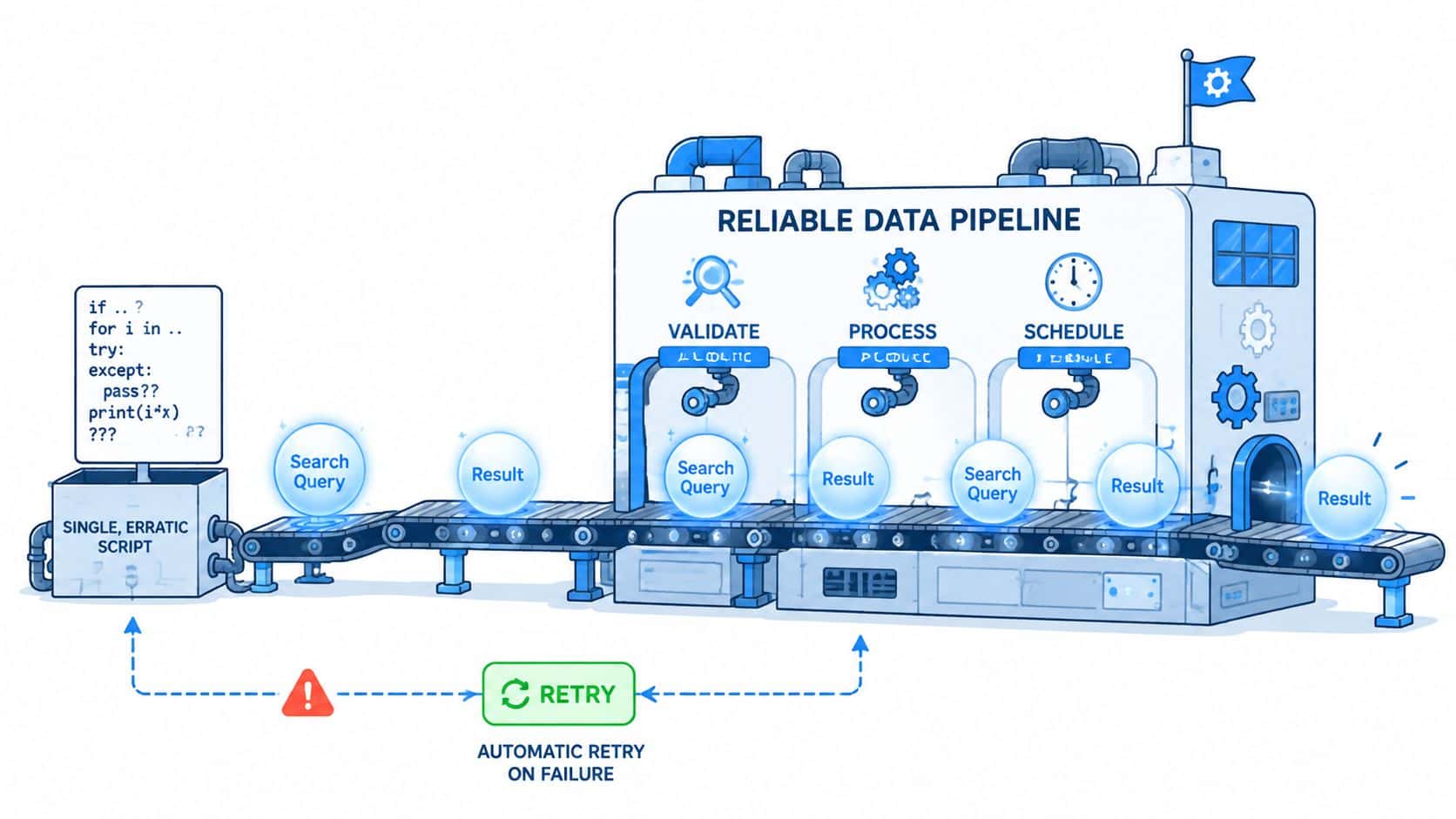
A durable design separates discovery from ingestion. The discovery service accepts a permitted hashtag request and records the resolved ID. A queue then schedules top-media or recent-media collection, while workers fetch pages, validate responses, and write idempotent records. A separate status store reports whether the job completed, encountered a platform limit, or stopped after an authorization failure.
Each job should carry its account context and operation type. That lets the scheduler apply the right cooldown instead of treating all failures as transient. Retry network timeouts and temporary server errors, but route invalid permissions, unsupported account types, and unavailable edges to a visible failure state that requires correction.
Validation should happen before persistence:
Identity check: Confirm the response belongs to the requested hashtag or account context.
Pagination check: Save the cursor and detect repeated cursors to prevent loops.
Timestamp check: Record observed time separately from media publication time.
Duplicate check: Upsert by stable object identity and retain collection provenance.
Completeness check: Mark the job partial if a page fails or the source window closes.
Don't let retries overwrite earlier responses. Store attempts and their outcomes, then expose the latest usable dataset alongside an operational warning. Analysts can work with a partial collection when they know it's partial. They can't make a sound decision from a report that looks complete but dropped pages.
A monitoring layer should track queue age, authorization failures, rate-limit responses, repeated cursor behavior, and stale collection jobs. Alerts should identify the connected account and endpoint family, not merely say “Instagram error.”
For teams evaluating abstraction layers, compare whether the service exposes job state, backoff behavior, raw response access, and account-level diagnostics. The Ayrshare alternative comparison is useful as a product-evaluation reference, but the engineering test remains the same: can your system explain what it collected, what it missed, and why?
The following video can help teams visualize the difference between a one-off request and a managed workflow:
Integrating with Bulkit for Unified Social Management
Teams building a multi-network product often discover that Instagram search is only one part of the maintenance burden. OAuth connections, token lifecycle management, version changes, platform-specific schemas, retries, and rate-limit backoff can consume more engineering time than the initial endpoint integration. A unified layer is valuable when it preserves operational visibility instead of hiding platform constraints behind a generic success response.
Bulkit presents a consistent REST interface for social publishing, scheduling, comments, and analytics across major networks, with SDKs and workflow tooling around the same API model. Its published platform capabilities include OAuth connections through approved platform apps, token refresh handling, webhooks, a dashboard, a CLI, an n8n node, and an MCP server. Those pieces address the surrounding integration work, while Instagram's own search scope still determines what discovery is permitted.
Compare the maintenance models
With a direct Graph API integration, your team owns:
Account onboarding and permission diagnostics.
Token storage, refresh, and disconnection handling.
Endpoint-version changes and response normalization.
Queue scheduling, retries, and platform backoff.
Cross-network abstractions when the product adds another channel.
With a managed social API, the provider owns more of that plumbing, while your application consumes a consistent request and data model. That trade-off can accelerate delivery, but it also makes provider transparency important. Verify how the service surfaces unsupported operations, partial results, account eligibility, and platform errors.
Bulkit's REST API, TypeScript/Node.js SDK, CLI, MCP server, n8n node, and webhooks are aimed at teams that want one integration surface for social workflows. For an Instagram search feature, the practical question isn't whether an abstraction can create a universal search endpoint. It can't change Meta's authorized scope. The question is whether it can reduce the repetitive account and workflow infrastructure around the supported use case while keeping limitations visible.
Use a direct integration when Instagram-specific control and endpoint-level behavior are core product requirements. Consider a unified service when your roadmap includes several social networks and your team would rather maintain one operational model than several platform SDKs.
Quick Reference Checklist for Instagram Search Integration
Use this failure matrix before shipping:
| Failure |
Detection |
Response |
| Quota exceeded |
Requests begin returning rate-limit errors |
Pause the queue, apply exponential backoff, and record the retry window. Review Graph API rate limiting before raising throughput. |
| Token expired |
Authentication fails consistently |
Mark the connection inactive and request reauthorization. |
| Account ineligible |
Permission or account-type errors persist |
Surface a clear setup error instead of retrying. |
| Stale result set |
Timestamps or cursors stop advancing |
Flag the job as incomplete and avoid presenting it as an archive. |
Persist request IDs, cursors, timestamps, endpoint names, and partial-job status. These fields let operators distinguish platform limits from integration defects and explain missing results to users.
Bulkit provides unified REST requests, SDKs, workflow tools, OAuth handling, and webhooks for multi-network operations. Evaluate Bulkit if reducing platform-specific maintenance matters.